




Disaster Recovery

When your CRM goes down, your data should not go with it.

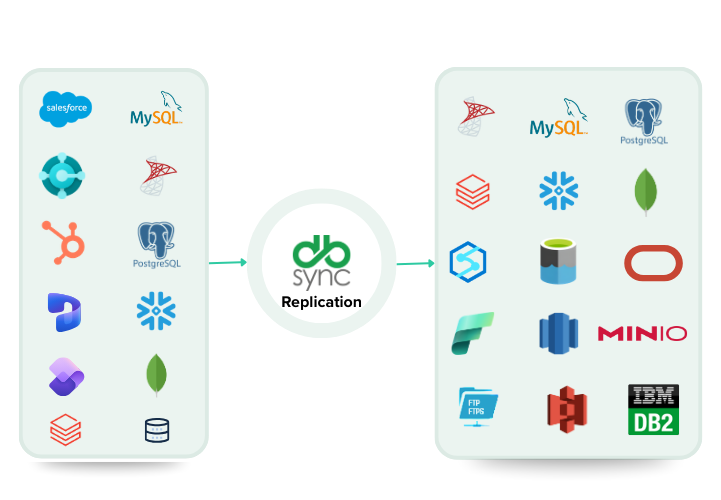
DBSync continuously replicates your Salesforce, Dynamics 365, HubSpot, and database records to infrastructure you control, so you always have a current, recoverable copy.

cloud replication

The exposure

The data risks most teams don't think about until it's too late

Your SaaS vendor's backup covers their uptime. It doesn't cover yours.

SaaS platform outages

Salesforce, Dynamics 365, and HubSpot have all had multi-hour outages. When your CRM is down, your sales team is down, unless you have a readable copy elsewhere.

Accidental deletion

A misconfigured workflow, a bulk delete gone wrong, a rogue admin. SaaS platforms' undo windows are limited — typically 15–30 days, with no granular point-in-time restore.

Ransomware & account compromise

An attacker with your cloud credentials can corrupt or destroy data in your SaaS apps. Native backups controlled by the compromised account offer no protection.

The difference

Native SaaS backup vs. continuous independent replication

Your vendor's built-in backup is designed to protect them. DBSync gives you a copy you control, independent of whatever happens to the source.

SaaS native backup only

After DBSync

How it works

Set up your safety net in three steps

Connect, configure, and test. DBSync handles the rest continuously.

01

Identify your critical sources

Select the SaaS apps and databases that contain data you cannot afford to lose. DBSync connects to all major CRM, ERP, and database platforms.

02

Point to your DR destination

Choose where your recovery copy lives — your own cloud account, an on-premises server, or a private database. DBSync writes to infrastructure you own and control.

03

Test your recovery

Run a recovery drill from your replicated copy. Validate your RTO. DBSync's change log enables restore to any timestamp — so you know exactly what you can recover and how fast.

What DBSync replicates and protects

Every layer of your business-critical data

Continuous, monitored, and compliance-grade, across every source you connect.

Continuous incremental replication

CDC-powered sync replicates only changed records, not full table dumps, delivering sub-hour data freshness at any scale.

Point-in-time recovery

DBSync's change log retains history across your configured retention window, restore data to any minute, not just the last snapshot.

Soft-delete & hard-delete capture

Recover records deleted from your CRM, whether soft-deleted by a user or permanently removed. DBSync tracks both in the change log.

On-premises source support

Replicate from databases in your private network via the DBSync on-prem agent, outbound HTTPS only, no inbound firewall ports required.

Independent readable copy

Your replicated copy is a live, queryable database, available for read-only reporting and analytics even when the source is unavailable.

Monitoring & lag alerts

DBSync monitors replication lag, error rates, and connectivity in real time, alerting your team before a replication gap becomes a data gap.

0 Minutes

Recovery Point Objective not hours for every connected source

0 %

Data in your infrastructure your cloud account, your database, your control

0 hrs

Dev time saved Scotiabank, eliminating manual pipeline maintenance

Lead to Invoice On-Demand Demos

See DBSync in Action

data transfer
Effortless Integration

Link CRM with accounting/ERP apps.

Automated Workflows

Streamline invoicing and data tasks with no-code automation.
Continuous Sync

Keep data in real-time harmony with connected apps.

Customer Testimonials

Don't just take our word for it

“DBSync helped us make huge savings this year, and cut our recurring costs significantly. DBSync is affordable, user-friendly, and highly secure.”

Job Kirui Chief Information Officer, Juhudi Kilimo
Job testimonial

"DBSync helped us resolve everything quickly. The ROI came out about even. I believe we paid about 10-12K and saved 10-12K worth of my time. We were able to stabilize our Salesforce Sync and I was able to use my time on other ETL projects.”

Sarah Perry Business Intelligence Engineer, Barracuda

Your data should live somewhere you control — not just the vendor's servers.

SOC2-ready · TLS 1.2+ in transit · AES-256 at rest · On-premises deployment supported