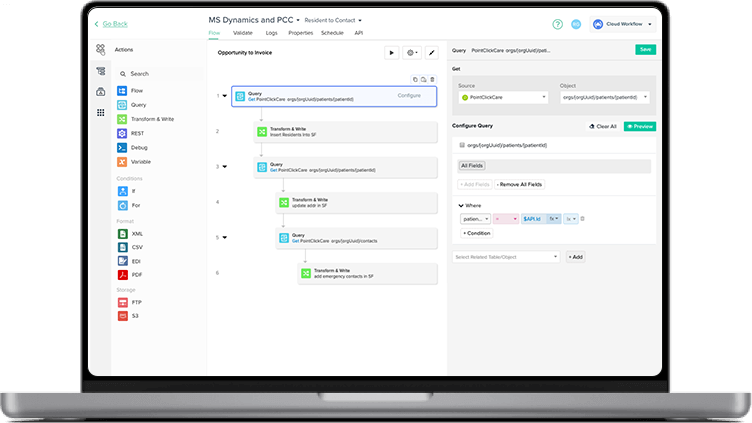

↑ Watch How

monday.com integration - work smarter, not harder

Tired of jumping between apps and manually copying data? Our monday.com  integration brings harmony to your digital workspace, connecting the tools you love while letting you focus on what matters most.

Project integration

Top integrations

monday quickbooks
monday.com and QuickBooks Online Integration

monday quickbooks desktop
monday.com and QuickBooks Desktop Integration
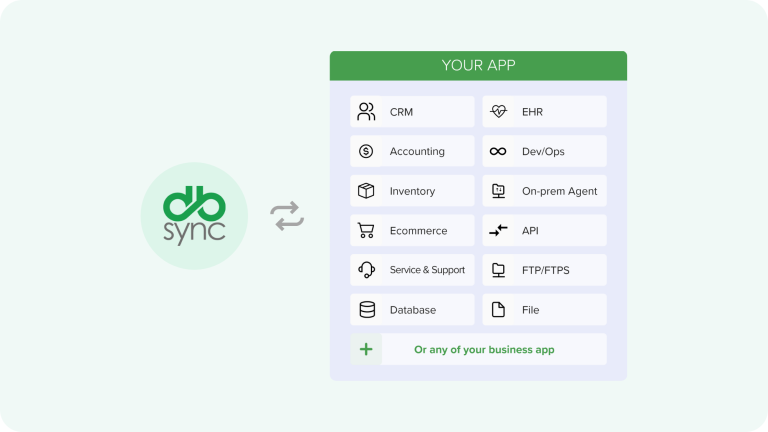
Looking for a specific connector? Explore our prebuilt connectors below to seamlessly integrate your preferred apps—and catch our on-demand demos for a quick look!

Why people love our monday.com integration

We believe technology should work for you, not the other way around. Our integration isn't just about connecting systems it's about giving you back precious time, reducing frustration, and helping your team collaborate more naturally. Our customers tell us the difference is night and day, with implementations that actually understand how people work.

Save 20+ hours/month per team

Cut manual syncing, copy-paste tasks, and cross-system follow-ups with automated workflows.

Accelerate project handoff by 50%

Automatically turn sales, support, or HR inputs into monday.com tasks, no more delays between tools.

Reduce data errors by 90%

Eliminate mismatched records and double entries with real-time, bi-directional sync.

Automate common workflows across your stack

Comprehensive Data Integration
Use case

CRM → Project

What Happens

When a new deal converts, auto-create a project board in monday.com

Support Ticketing

Link incoming tickets (Zendesk, Freshdesk, etc.) to tasks in monday.com

Marketing Automation

Sync campaign data from tools (Mailchimp, HubSpot) to monday.com

HR & Onboarding

New hire info from HR system triggers tasks on monday.com onboarding board

Finance / Billing

Invoice status changes in your billing system update status in monday.com

Ready to unlock integrations for your monday.com workflows?

See DBSync in Action

Start your free trial, deploy your integration today, and get back hours of manual work. Or talk to our team to design a custom integration for your stack.

data transfer 1
Effortless Integration

Link monday.com with CRM, e-commerce, and databases effortlessly.

workflow icon
Automated Workflows

Streamline project management, invoicing and much more with no-code automation.

Sync Icon
Continuous Sync

Keep monday.com data in real-time harmony with connected apps.

FAQs

Quick answers to questions you may have. Can't find what you're looking for? Check out our full documentation.

You can connect monday.com with any application supported by DBSync’s platform — including CRMs, ERPs, databases, ticketing tools, and custom systems. Our monday.com connector allows you to create, update, and query board data using both standard actions and custom GraphQL queries.

Yes. You have complete control over sync direction, one-way or two-way — depending on how you design your workflow. You can set monday.com as either the data source or destination, and apply filters or conditions to ensure data flows exactly how your business requires.

You define the rules. DBSync enables you to build logic for conflict resolution using custom mappings, conditions, and field-level controls. Additionally, our platform features built-in error handling, retry logic, and alerting to prevent updates from being lost and ensure inconsistencies are resolved promptly.

Yes — we offer a 14-day free trial so you can test your monday.com integrations before committing. Set up workflows, map fields, and validate your automations with no credit card required.

We take security seriously. All data transfers are encrypted, and our platform supports role-based access, audit logs, and secure API authentication. Your monday.com data stays protected, end to end.

crm shape 2
Get started

Want to see how monday.com can automate your business in less than an hour?

Contact Integration Expert

Questions about our product, pricing, or offerings? Fill in the form below and we will contact you. We endeavor to answer all inquiries within 24 hours on business days.

Edit Content
Click on the Edit Content button to edit/add the content.
crm mockup cta