Data Replication

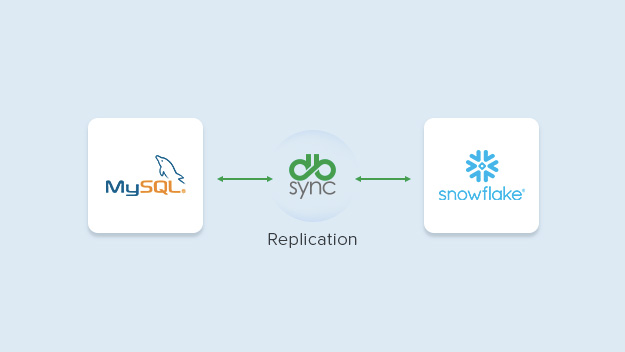
Replicate Data from MySQL to Snowflake in Minutes

Build secure, reliable and automated ELT pipelines with full copies, incremental syncs, and CDC without writing a single line of code.

mysql
connector icon 1
Snowflake
Sync Success Rate
0 %
Records moved daily
> 0 B
Records moved in <2 min
> 0 M
Storage costs saved monthly
> $ 0 K

Add Video Title

Snowflake and MySQL Replication

Start Syncing in 4 Simple Steps

For data and analytics teams to build ELT pipelines for BI, data warehousing, and reporting.

1. Connect your systems

Connect and authenticate source and target systems

2. Map schema and objects

Map the source schema, choose the objects you want to replicate

3. Schedule and automate

Run full, incremental syncs, CDC on schedule or in real-time

4. Monitor and validate

Trigger alerts to monitor syncs & compare data to resolve conflicts

Secure and reliable replication engine

Turn your systems into an analytics engine

Ingest data from any application into any destination to feed BI dashboards, reporting, and analytics.

Cut reporting cycles by 80%

Keep data archived for cost & compliance

Offload historical records to low-cost storage or databases and archives for audits and compliance.

Reduce storage costs by up to 60%

Build a unified, always-fresh data foundation

Consolidate data from all business apps & databases into a single source of truth to keep teams up-to-date.

Keep data current with 5-min refreshes

Everything you need to build efficient ELT pipelines

No-code Platform

Move data across on-prem and cloud systems without any coding.

Scalable Data Processing

Replicate large datasets and handle high data volumes at high-speed.

Enterprise-Grade Security

Top-grade security standards with SOC 2, HIPAA, GDPR compliance.

Responsive Enterprise Support

Get in touch with our dedicated team via phone, email, and chat support.

Simple & Transparent Pricing

Always know what you’re paying with fixed, simple pricing plans.

Analytics-ready Data

Maximize data accuracy and be analytics-ready always.

Data Replication for Business
From Source to Destination: Mastering Data Replication for Business Success
Change Data Capture
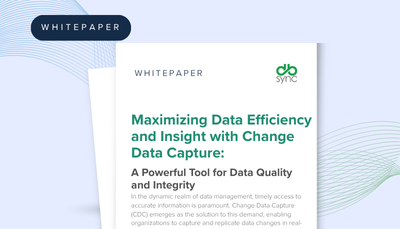
Maximizing Data Efficiency and Insight with Change Data Capture
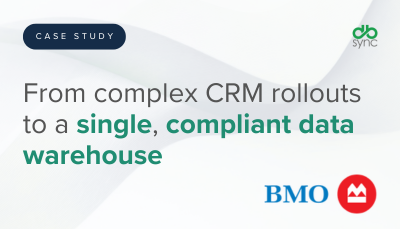
Bank of Montreal
Bank of Montreal

Why Customers Choose DBSync

job kirui
Job Kirui Chief Information Officer

“DBSync helped us make huge savings this year, and cut our recurring costs significantly. DBSync is affordable, user-friendly, and highly secure.”

Samuel Tang
Samuel Tang Senior Developer

"DBSync saved us a lot of development time when performing data transfers between Salesforce and our servers. The tool is also easy to maintain, and the failure rate to archive source objects fell significantly."

Sarrah Perry Barracuda
Sarah Perry Business Intelligence Engineer

"DBSync helped us resolve everything quickly. The ROI came out about even. I believe we paid about 10-12K and saved 10-12K worth of my time. We were able to stabilize our syncs and I was able to use my time on other ETL projects.”

Schedule a Meeting

See DBSync in Action

Replicate data from on-prem and cloud systems for compliance and reporting.

data transfer 1
Effortless Integration
workflow icon
Automated Workflows
Data Replication Icon
Reliable Data Replication
Sync Icon
Continuous Sync

Frequently Asked Questions

DBSync supports nearly all major versions of Salesforce:

  • Salesforce Unlimited Edition
  • Professional Edition
  • Enterprise Edition
  • Non-Profit Edition

This connector supports any JDBC or ODBC-compliant database, including Oracle, SQL Server, DB2, MySQL, PostgreSQL, SQL Azure,  and MS Access.

Yes. DBSync Cloud Workflow is available for a 14-day free trial after registration.

Yes. The tool can also be uni-directional.

This profile is available with both on-demand and on-premise versions.

Syncs can be performed every 5 minutes.

Almost all Salesforce objects can be synced with your database using DBSync.

Yes. DBSync is a complete,  flexible solution that also supports Salesforce custom objects.

Yes, data migration can be performed using DBSync. There are no limitations.

Ready to Connect Salesforce and SQL Server?

Start Free Trial Now

Talk to an Expert